AI Application are becoming more powerful every day. AI applications such as assistants, coding agents need access to external resources, tools, databases.
Traditionally, developers connect the AI System using the custom integration and REST APIs. But now in modern AI applications uses the Model Context Protocol (MCP) to connect the external resources, tools, databases.
In this MCP Server Tutorial, we’ll learn how to build a Node.js MCP Server from scratch, understand its architecture, expose tools to AI system, and implement production ready NodeJS server with MCP.
Table of Contents
- What Is MCP?
- What Is an MCP Server?
- How MCP Works
- MCP Architecture Explained
- Why Use MCP Instead of REST APIs?
- Prerequisites
- Setting Up a Node.js MCP Server
- Creating Your First MCP Tool
- Testing the MCP Server
- Connecting AI Agents
- Security Best Practices
- Real-World Use Cases
- Frequently Asked Questions
- Conclusion
What Is MCP?
Model Context Protocol (MCP) is a standard communication between AI Applications and external resources such as tools, databases. It’s provided the secure communication channel so that data will not be misuse.
Think of MCP as a universal interface between:
- Databases
- Models
- File Systems
- Tools
- APIs
- Third-Party APIs
Rather than manual integration for every application, MCP provides a standardized way for AI model to search and use dynamically available tools. If you want to explore more about the MCP read the below article
What Is an MCP Server?
An MCP Server acts as a bridge between AI applications and external resources such as tools, databases, file systems.
It exposes capabilities such as:
- File Operations (Read/Write)
- Database Queries
- Search Functions
- API Calls
AI models can dynamically search these tools and then invoke when needed.
MCP Architecture Explained
A typical MCP architecture looks like this:
AI Agent -> MCP Client -> MCP Server -> External Resources (Databases, API , Files)
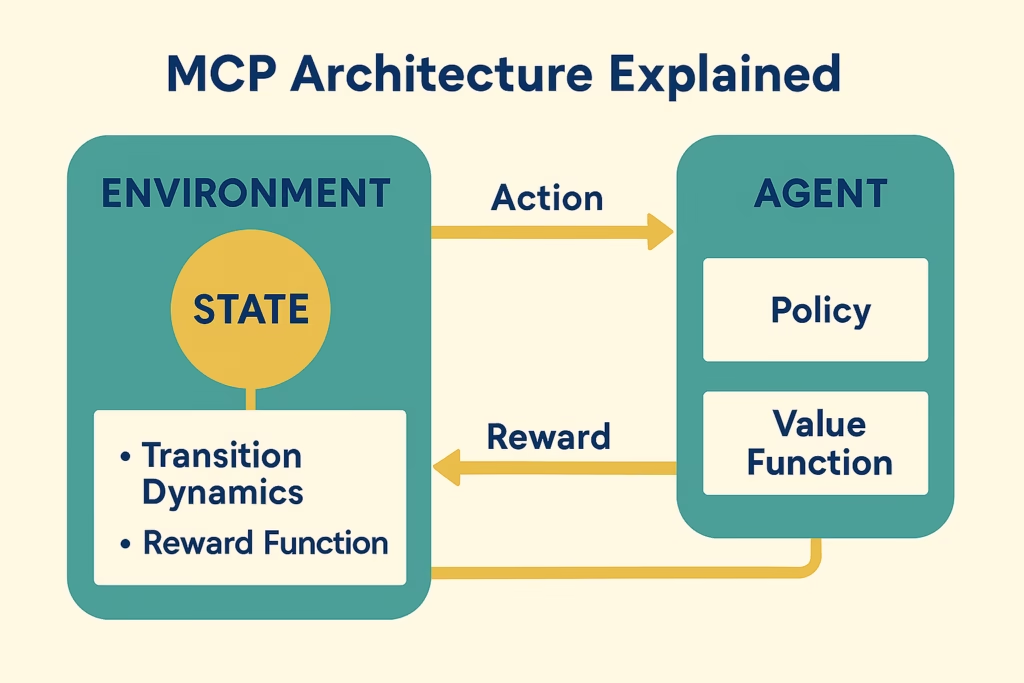
Components
MCP Client
It runs inside AI applications and communicates with the MCP server.
MCP Server
It exposes available tools and resources to get the informations.
Tools
It is kind of functions that call by the AI agent.
Examples:
- Weather Lookup
- Date related query
- Database Query
- Product Search
Resources
Structured information exposed to AI systems.
Why Use MCP Instead of REST APIs?
| Feature | REST API | MCP | |
| Tool Discovery | Manual | Automatic | |
| AI Friendly | Limited | Native | |
| Agent Support | Limited | Excellent | |
| Tool Metadata | Minimal | Rich | |
| Dynamic Execution | No | Yes | |
MCP does not replace REST APIs.
Prerequisites
Before creating the MCP server , ensure you have:
Required Software
- Node.js 20+
- npm
- VS Code or any IDE editor
- Basic JavaScript /Typescript
Verify node js installation:
node -vnpm -v (it gives the version of the npm)Setting Up a Node.js MCP Server
Step 1: Create Project
mkdir node-mcp-server-ai

cd node-mcp-server-ai

npm  init -y
it provides the package Json file and structure.
Step 2: Install Dependencies
npm install @modelcontextprotocol/sdkStep 3: Create Project Structure
node-mcp-server-ai/

├── package.json

├── server.js

└── tools/

    └── weather.js
Creating Your First MCP Server
Create:
// server.js
import {Server } from "@modelcontextprotocol/sdk/server/index.js";
const server = new Server({
       name: "demo-node-mcp-server",
       version: "1.0.0"
      },
     {
     capabilities: {
     tools: { weather:weather }
      }
    }
   );

console.log("MCP node js Server Running");
This start a basic MCP server.
Creating Your First MCP Tool
One of the most powerful MCP features is tools. Let’s create a simple weather tool.
Create:
// tools/weather.js
export async function getWeatherDetails(cityName) {

return {

    city:cityName,

    temperature: "39°C",

    condition: "Sunny"

  };

}
Registering the Tool
Update:
server.tool(
"weatherData",
 "Get current weather Data for your city",
 {
  cityName: {
  type: "string"
    }
  },
async ({ cityName }) => {
    return await getWeatherDetails(cityName);
  }
);
Now AI agent can search tool dynamically and call the weather tool automatically.
Running the MCP Server
Start the application:
node server.js
Output:

MCP Node JS Server Running.
Your server is now ready to use.
Testing the MCP Server
You can test using:
- Claude Desktop
- Claude Code
Example request:
{
"tool": "weather",
  "arguments": {
    "cityName": "Delhi"
  }
}

Response:
{

  "cityName": "Delhi",

  "temperature": "39°C",

  "condition": "Sunny"

}
Connecting AI Agents
One of the biggest advantages of MCP is that AI agents can discover tools automatically.
Instead of:
AI Agents → REST Endpoint
You get:
AI Agents → MCP Server → Tool call
The AI can understand:
- Available Functions or tools
- Arguments
- Response JSON
- Tool Descriptions
without hardcoded integrations.
Production-Ready MCP Server
A real-world MCP server typically includes:
Authentication
JWT Authentication
API Keys
OAuth
Logging
Winston
Pino
Datadog
Validation
Zod
Joi
Yup
Monitoring
Prometheus
Grafana
OpenTelemetry
Input Validation
Validate all incoming parameters or arguments.
Example:
if (!cityName) {
throw new Error("City cannot be null");

}
Audit Logging
Track every tool invocation and do the logging for debugging.
Real-World MCP Use Cases
Customer Assistant ChatBot
Tools:
- Ticket Lookup
- Order Status
Coding Assistant
Tools:
- Repository Search
- File Editing
- Documentation Access
Enterprise AI Agent
Tools:
- HR Systems
- Internal Knowledge Base
- Project Management Platforms
E-commerce Assistant
Tools:
- Product Search
- Inventory Check
- Order Tracking
Frequently Asked Questions
What is an MCP Server?
An MCP Server exposes tools and resources that AI applications can discover and use dynamically.
Is MCP replacing REST APIs?
No. MCP often works alongside REST APIs and makes them AI-friendly.
Can I build an MCP Server using Node.js?
Yes. Node.js is one of the most popular choices for building MCP servers.
Which AI applications support MCP?
Many modern AI assistants and agent frameworks support MCP integrations.
Is MCP suitable for production systems?
Yes, provided you implement proper authentication, monitoring, and security controls.
Conclusion
MCP server is quickly becoming the standard way for AI applications to communicate with tools, APIs, databases, and enterprise systems and other resources.
In this MCP Server Tutorial you learned about how to build a node.js MCP Server, create and call the tools and follow production-ready best practices
Now is an excellent time to start experimenting with MCP and build your first production-ready Node.js MCP Server.
[…] of manual Api integration , AI agents connects to the MCP server and server provides the resources ,tools to get the […]
[…] Design MCP Servers […]