
Improving web application speed is critical for better user experience, and Angular performance improvements techniques help developers to build fast and optimized web applications. If your app feels slow, optimizing it using the right Angular improvement techniques can significantly improve performance. There are many features that angular provide like change detection, observable unsubscribe, OnPush strategy.
In this guide, you’ll learn practical techniques with examples to optimize your Angular components and application effectively.
📌 Table of Contents
- Why performance matters
- Top Angular performance improvements techniques
- Top 10 feature improvements
- Examples
- Best practices
🚀 Why Use Angular Performance Improvements Techniques?
Angular web application Performance improvement is critical for better user experience. It helps :
- Improve loading time
- Improve user experience for better readability.
- Increase SEO ranking of web applications
- Optimize resource usage so that memory leaks can be prevent
- Improve bundle size with use of the tree shaking feature.
🔥 Top Angular Performance Improvements Techniques
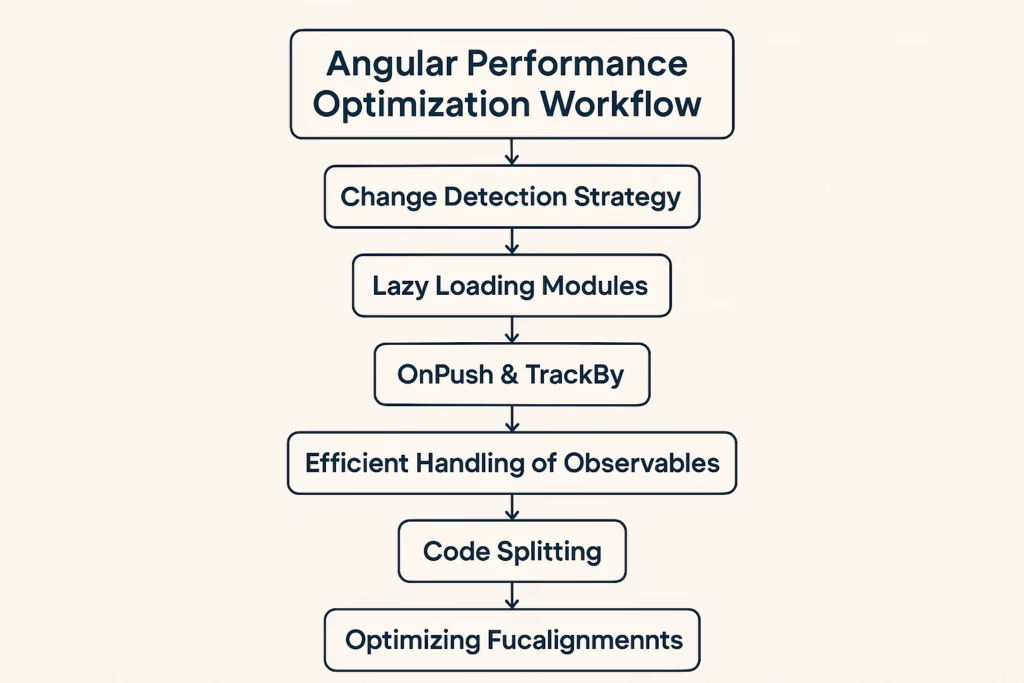
1.Always Use Change Detection Strategy (OnPush)
By default, the change detection cycle runs every time—whether there is a change in component or not .To avoid this we should use the onPush strategy .
Solution:
import { ChangeDetectionStrategy, Component } from'@angular/core';
@Component({
  selector: 'app-root‘,
  template: `<p>{{data.name}}</p>`,
  changeDetection: ChangeDetectionStrategy.OnPush
})

export class AppComponent {
  data ={name:”John”};
}
👉 This reduces unnecessary checks and improve performance of the components
2. Lazy Loading Modules
Load modules only when needed.it is also known as lazy loading. It reduce the browser memory usage and improve the performance.
const routesData: Routes = [
{
    path: 'dashboard-demo',
    loadChildren: () => import('./dashboard-demo.module')
      .then(m => m.DashboardDemoModule)
  }
];
👉 Improves initial loading time so that quickly user can interact with application.
3. Use trackBy in ngFor
unnecessary re-rendering can be reduce with the help of the trackby method
<li *ngFor="let itemdata of itemsData; trackBy: trackById">
{{ item.age }}
</li>

trackById(index: number, itemData: any) {
  return itemData.id;
}
4. Avoid Unnecessary Subscriptions
Use async pipe for better code readability and for unnecessary subscriptions.
<div *ngIf="dataObj$ | async as dataObj">
{{ dataObj}}
</div>
5. Optimize Images and Assets
- Compress images use the svg and webp images
- Use lazy loading
👉 Faster rendering.
6. Use Pure Pipes
Pure pipes run only when input changes.so it will prevent re-rendering.
@Pipe({ name: currency, pure: true })7. Enable AOT Compilation
Ahead-of-Time compilation improves performance. It will help to detect the error at the compiling time so reduce the errors at the time of the execution build.
ng build --prod8. Minimize DOM Manipulation
Avoid direct DOM access. Use Angular binding instead.
9. Use Web Workers
Offload heavy tasks:
ng generate web-worker appweb workers runs in the background so main thread of the javascript will not block for heavy task So user can interact with application without any hurdle.
10. Optimize Bundle Size
- Remove unused code
- Use tree-shaking
⭐ Top 10 Feature Improvements for Angular Performance
Here are additional feature-level improvements that can significantly boost performance of the application.
1. Standalone Components
Reduce module overhead and improve load time. Component can use anywhere without any module dependency .
2. Server-Side Rendering (SSR)
Use Angular Universal to improve SEO and initial load speed.
3. Hydration Support
Enhances SSR performance by reusing server-rendered DOM.
4. Signals (Angular Latest Feature)
Improves reactivity and reduces unnecessary change detection they significantly reduce the need for it in about 50-60% of common UI use.
5. Route Preloading Strategy
Preload modules in the background for faster navigation.
6. Differential Loading
Serve optimized bundles for modern browsers.
7. Smart Caching
Cache API responses using services or interceptors.we can use the service workers for the api caching.
8. Lazy Component Loading
Whenever require the module only then load it so it will reduce the unnecessary module load and improve the speed of the applications.
9. Optimized RxJS Usage
Use operators like debounceTime, switchMap, distinitUntillChange to reduce API calls.
10. Angular DevTools Optimization
Angular DevTools can analysis the application performance with rendering of the dom content.
📊 Tool Comparison (Angular Performance Improvement Techniques)
| Tool | Purpose | Benefit |
| Lighthouse | Performance audit | Insights |
| Webpack | Bundling | Smaller builds |
| Angular DevTools | Debugging | Performance check |
⚡ Best Practices
- Use lazy loading
- Optimize API calls
- Reduce bundle size
- Use caching with service workers
- Use web-workers for heavy task
- Avoid Unnecessary subscription
- Use the onPush strategy
⚠️ Common Mistakes
- Overusing change detection
- Ignoring lazy loading or using the eager loading
- Large bundle size
- Too many API calls
- Memory leaks with observables.
📈 Future Trends
Angular is moving toward:
- Standalone components
- Better performance optimization
- Improved developer tools
- Improve the component performance
✅ Conclusion
Applying these above techniques along with modern feature improvements will help you build faster and more scalable web and mobile applications.
❓ FAQs
What are Angular performance improvement techniques?
Methods to optimize Angular app speed.
What is OnPush strategy?
A way to reduce change detection cycles.
Why use lazy loading?
To improve initial load time.
How to reduce bundle size?
Use tree-shaking and remove unused code.
🔥 Final Thoughts
Mastering Angular performance improvements techniques will help you build high-performance applications 🚀it will reduce the bundle size of the applications as well as the rendering of web pages very fast.
[…] 25. Keep Angular Updated : […]
[…] Angular applications might be impact the performance because of large bundles, unnecessary change detection, unnecessary rendering of dom , excessive use of the subscriptions. […]